
SERVICE
Service Internal
Licensed Software
Education Roaming
Internet
myITS-WiFi-IOT
Multi Factor Authentication
governance
Masterplan ICT
Service Procedure ICT
Guide
About Us
About DPTSI
Organizational Structure
Vision Mission Strategy
Contact Us
Privacy Policy
ISMS Data Center ITS
SERVICE
Service Internal
Licensed Software
Education Roaming
Internet
myITS-WiFi-IOT
Multi Factor Authentication
governance
Masterplan ICT
Service Procedure ICT
Guide
About Us
About DPTSI
Organizational Structure
Vision Mission Strategy
Contact Us
Privacy Policy
ISMS Data Center ITS
ID
EN
MyITS
SERVICE
governance
About Us
Privacy Policy
ISMS Data Center ITS
SERVICE
governance
About Us
Privacy Policy
ISMS Data Center ITS
ID
EN
MyITS
SERVICE
Service Internal
Licensed Software
Education Roaming
Internet
myITS-WiFi-IOT
Multi Factor Authentication
governance
Masterplan ICT
Service Procedure ICT
Guide
About Us
About DPTSI
Organizational Structure
Vision Mission Strategy
Contact Us
SERVICE
Service Internal
Licensed Software
Education Roaming
Internet
myITS-WiFi-IOT
Multi Factor Authentication
governance
Masterplan ICT
Service Procedure ICT
Guide
About Us
About DPTSI
Organizational Structure
Vision Mission Strategy
Contact Us
Quick Links
October 7, 2020
Guide to Using Microsoft Teams for Educations
Microsoft Teams for Educations is a digital learning tool that uses Microsoft technology. Last week, ITS lecturers underwent Microsoft Teams...
October 6, 2020
For Lecturers : myITS Classroom Guide
A few weeks ago, DPTSI held a myITS Classroom training specifically for lecturers. This training aims to maximize lecturer learning...
September 26, 2018
How to Setup Email for Lecturers and Employees on Android
How to set up on an Android phone: On an Android cellphone, click the “Mail” -> Icon then select “Inbox”...
September 22, 2018
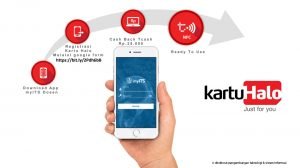
myITS Halo Card
myITS Halo Card Registration Before Registration Prepare a screenshot of KTP (identity card) and employee card (or capture SIMPEG profile...
August 7, 2018
Office 365 Synchronization for Lecturers and Employees
Office 365 Synchronization for Lecturers and Employees Steps for Synchronization Office 365: Login to my.its.ac.id, select and click “Portal Office...
«
1
2
3
»