Academics


Facilities
Research and Collaboration
About Us

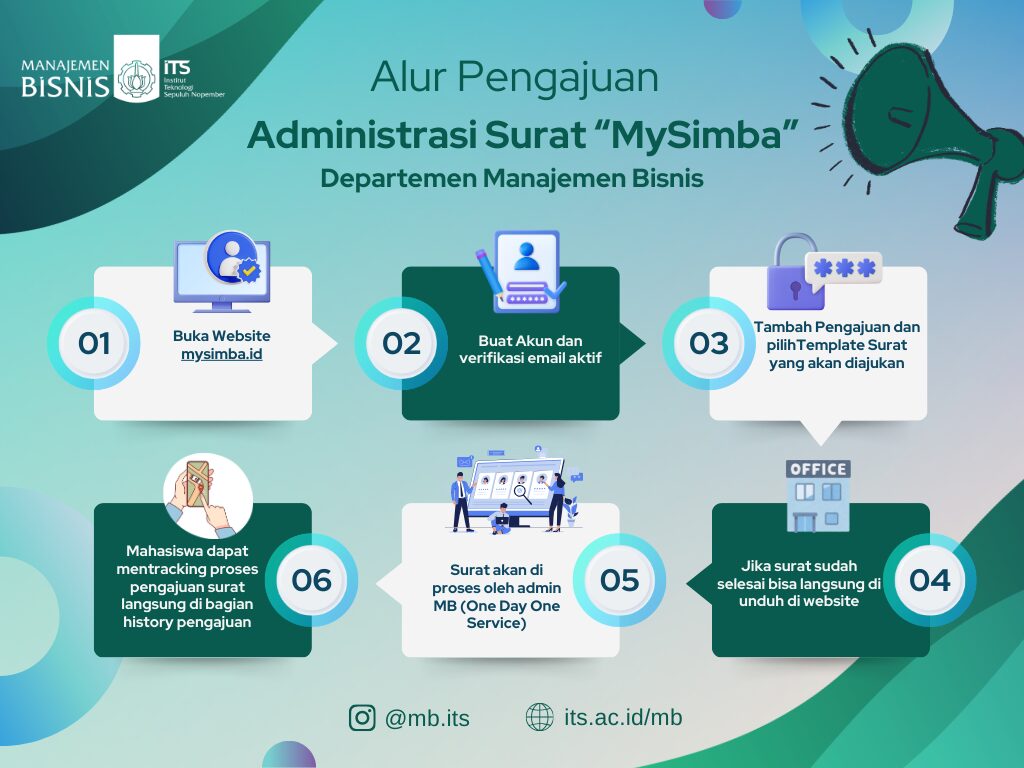
The Administrative Correspondence Services of the Department of Business Management can be accessed through the following links:
Website: mysimba.id
MySimba User Guide: its.id/BukuPanduanMysimba
Procedure for Letter Submission:
Prepare the draft of the letter according to the official template provided by the Department.
Visit mysimba.id and complete the registration process.
After submitting the request via MySimba, please contact the administrator for confirmation.
Once confirmed, the letter will be processed accordingly.
Note: The approval process requires 3 working days, excluding weekends and public holidays.
If you experience any difficulties or have any inquiries, please contact the Administrative PIC:
Mr. Arga (+62 899-2440-926)
Thank you for your attention and cooperation.
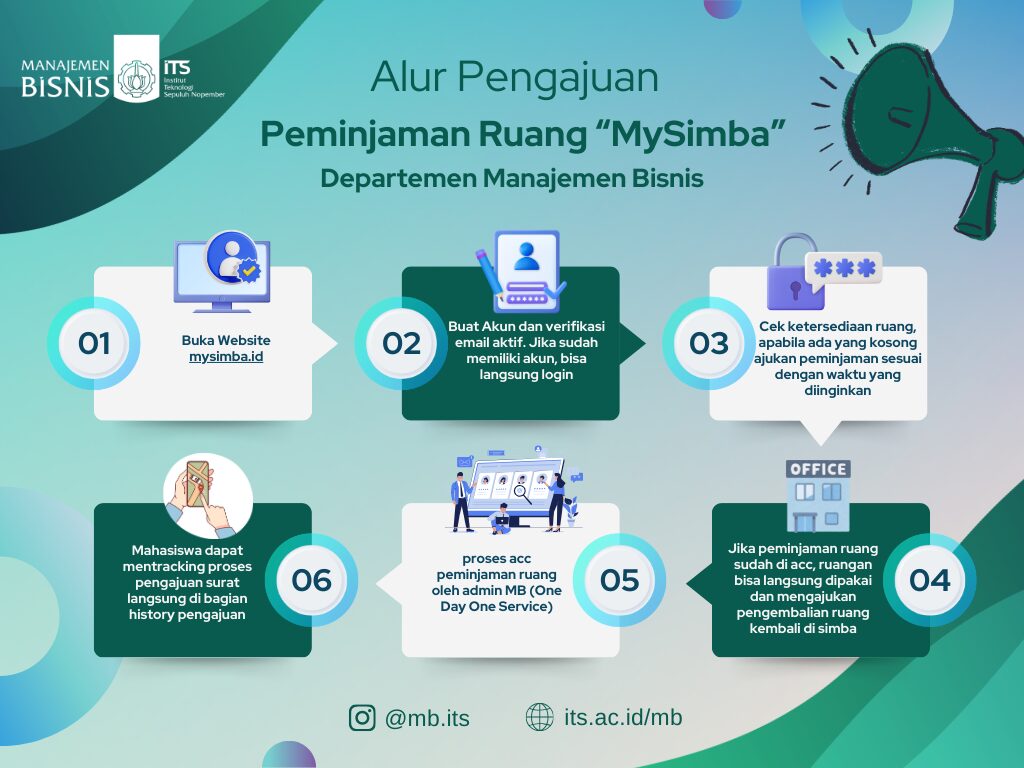
The Department Room Reservation Services can be accessed through the following link:
Website: mysimba.id
MySimba User Guide: its.id/BukuPanduanMysimba
Procedure for Facility and Room Reservation:
Log in to mysimba.id and click Add New Request for room reservation.
Select the room, time, and provide details regarding the purpose of the reservation.
After submitting, please confirm with the administrator and regularly check the status while waiting for approval from the room manager.
If the request is approved, after the event, the PIC is required to upload before and after photos showing that the room has been cleaned and returned to its original condition.
Note: Confirmation with the Facilities and Infrastructure Unit (Mr. Bagus) is mandatory after making the reservation.
If you experience any difficulties or have any inquiries, please contact the Administrative PIC:
Ms. Ana (0896 1844 9604)
Thank you for your attention and cooperation.
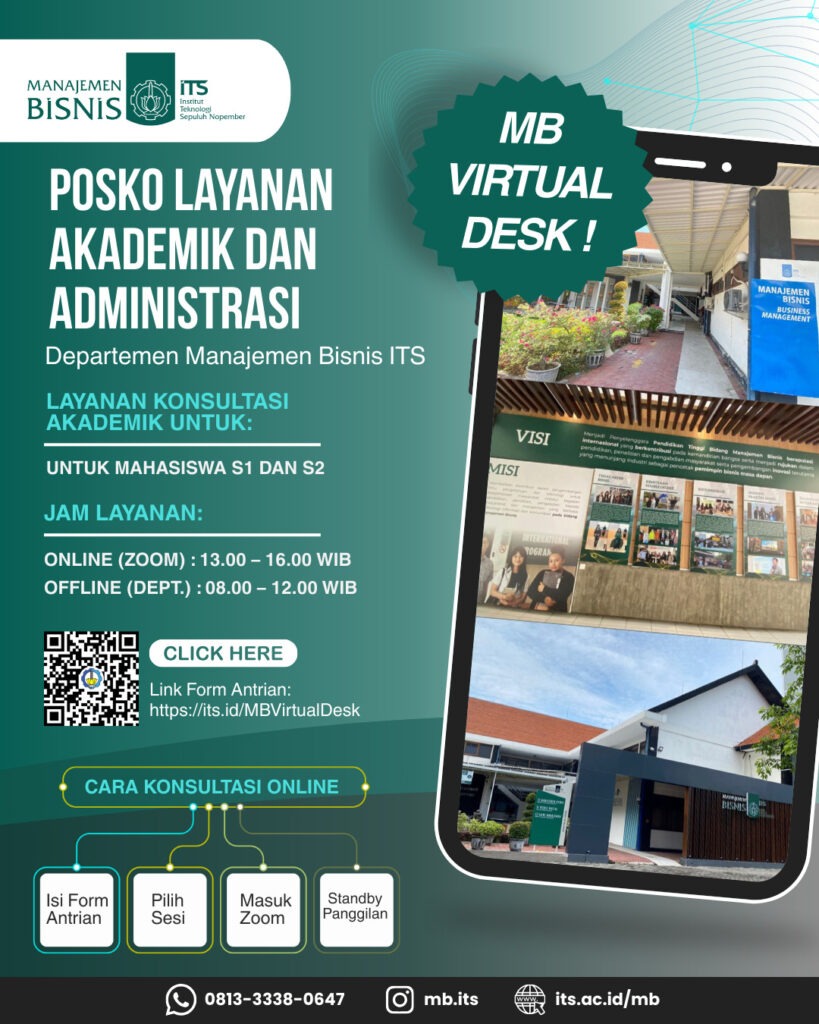
📢 POSKO LAYANAN AKADEMIK & ADMINISTRASI Departemen Manajemen Bisnis ITS Halo Bapak/Ibu dan Mahasiswa S1 & S2 👋 Dalam rangka meningkatkan pelayanan akademik dan administrasi, Departemen Manajemen Bisnis ITS menghadirkan MB Virtual Desk sebagai layanan konsultasi akademik secara online maupun offline. 🖥 Layanan Online (Zoom) 🕐 13.00 – 16.00 WIB 🏢 Layanan Offline (Departemen) 🕗 08.00 – 12.00 WIB 🔗 Link Form Antrian: https://its.id/MBVirtualDesk Alur konsultasi online: 1️⃣ Isi Form Antrian 2️⃣ Pilih Sesi 3️⃣ Masuk Zoom 4️⃣ Standby Panggilan Silakan dimanfaatkan dengan baik untuk kemudahan layanan akademik dan administrasi🙏 Terima kasih.